Documentation References
Openlane documentation reuses a small set of markdown, table, and diagram patterns. Copy the examples below rather than writing the syntax from scratch, and consult these references for anything not covered here:
Tables
Both markdown and HTML tables are supported, and each renders correctly in GitHub's UI, VSCode preview, and the built site. A markdown table looks like this:
|       Header 1        |     Header 2          |     Header 3          |
|:---------------------:|:---------------------:|:---------------------:|
| stuff                 | about                 | docs and stuff        |
Which renders like this:
| Header 1 | Header 2 | Header 3 |
|---|---|---|
| stuff | about | docs and stuff |
HTML tables provide a higher degree of control over customization and remain reasonably readable in source form. HTML is more tedious to write and less tolerant of errors than markdown, though the strictness helps with linting and makes mistakes easier to spot visually. Use your best judgment.
An Example HTML table looks like this:
<table>
  <tr>
    <th>Header 1</th>
    <th>Header 2</th>
    <th>Header 3</th>
  </tr>
  <tr>
    <td>stuff</td>
    <td>about</td>
    <td>tables</td>
  </tr>
</table>
Which renders like this:
| Header 1 | Header 2 | Header 3 |
|---|---|---|
| stuff | about | tables |
Instead of going through the motions of building the docker image for your changes, we recommend using VSCode's built-in markdown preview to see how things would look in real time, which is quite convenient when working with visualization or rendering changes. You can enable it in the upper right hand corner:
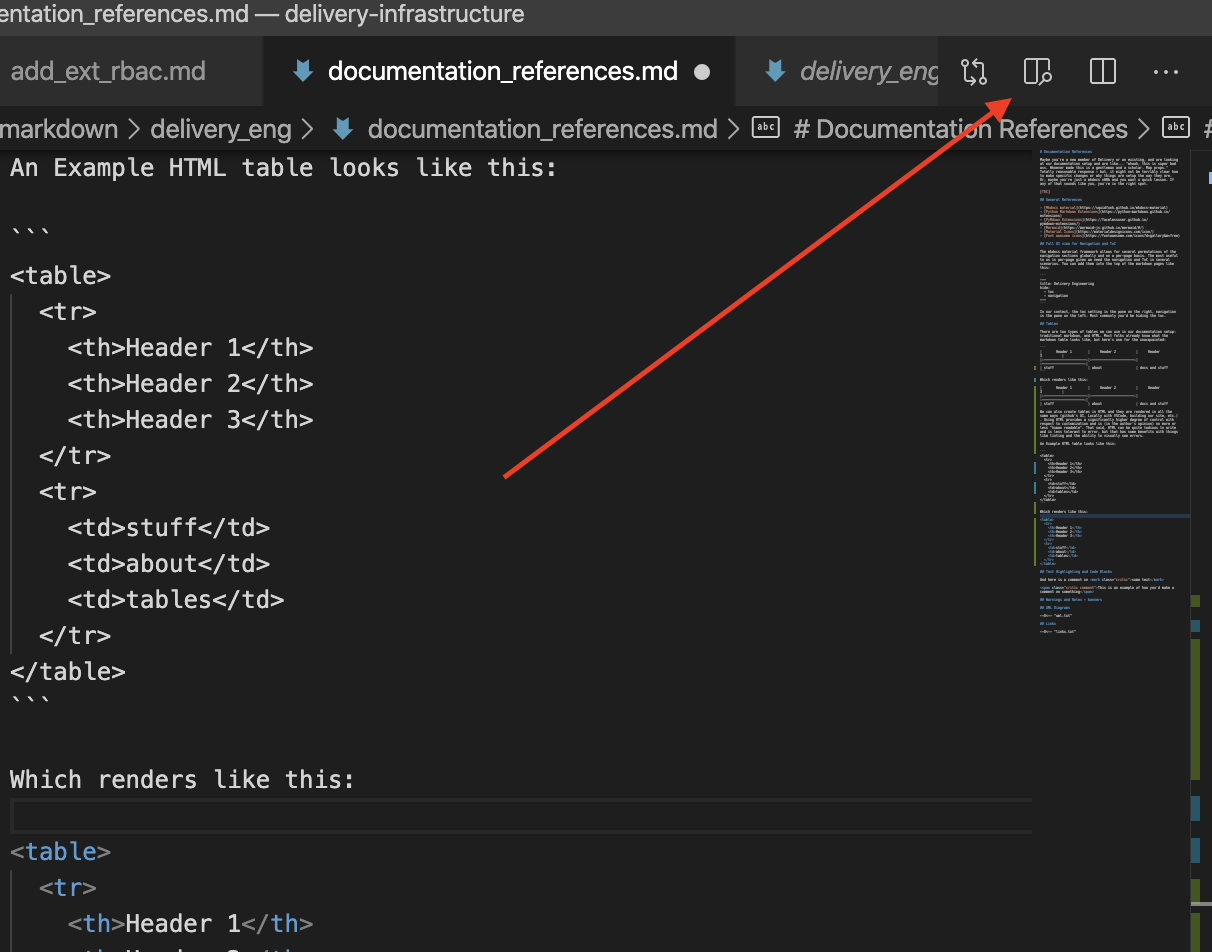
Once you click it, while you type in real-time you can see things like tables or other visualization components:

Copy-Paste Examples
A traditional table, where each header matches a row entry that spans the table:
<table>
  <tr>
    <th></th>
    <th></th>
    <th></th>
  </tr>
  <tr>
    <td></td>
    <td></td>
    <td></td>
  </tr>
</table>
A key-value style table, with the description on the left, the value on the right, and no real "header":
<table>
  <tr>
    <th></th>
    <td></td>
  </tr>
  <tr>
    <th></th>
    <td></td>
  </tr>
</table>
Nested lists:
<ul>
  <li></li>
  <li></li>
  <li>
    <ul></ul>
    <ul></ul>
    <ul>
      <li></li>
    </ul>
  </li>
</ul>
A regular markdown table with centered text:
|   |   |   |
|:--:|:--:|:--:|
|   |   |   |
A tabbed table with MDX:
<Tabs className="unique-tabs">
  <TabItem value="title1" label="title1">
    Text
  </TabItem>
  <TabItem value="title2" label="title2">
    Text
  </TabItem>
  <TabItem value="title3" label="title3">
    Text
  </TabItem>
</Tabs>