Controls
Alongside documents and frameworks, your Trust Center can publish individual security controls, concise statements of what you do to manage risk. This gives visitors a more granular view of your program than certifications alone, without exposing the internal detail of your control set.
Controls on the Trust Center are drawn from a dedicated Openlane Trust Center control set. You choose which of these controls to add to your Trust Center, and only the ones you publish are ever shown to visitors.
How It Works
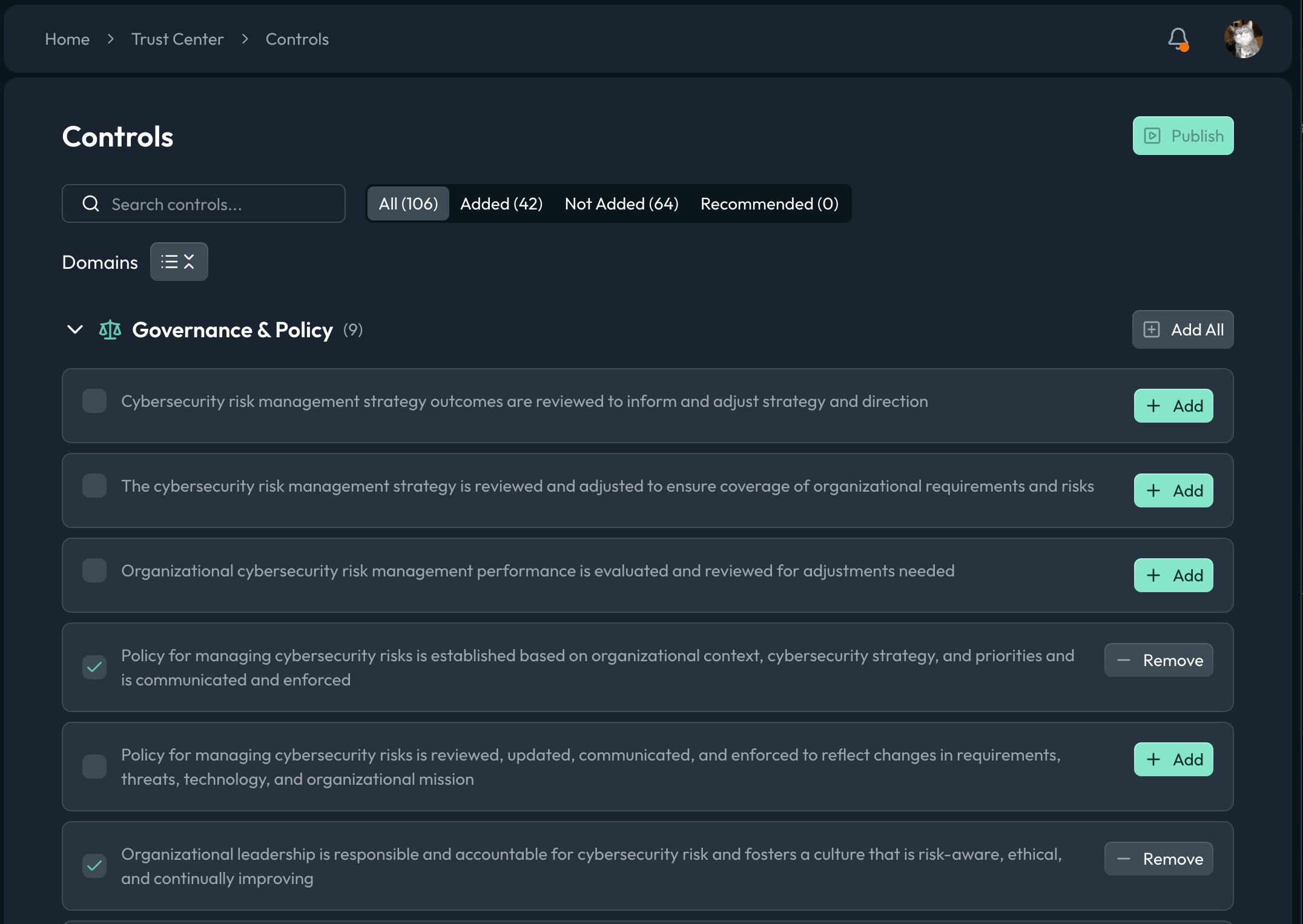
The Controls page lists the available Trust Center controls grouped by domain (for example, Governance & Policy), and you can add or remove controls individually or a full domain at once. We recommend starting from the recommended set, which gives you a sensible baseline, and then working through one domain at a time so the published selection shows coherent coverage rather than a scattered list.
Visibility
A control is only shown to visitors when it is both added to your Trust Center and marked publicly visible. Controls default to not visible, so adding a control does not expose it until you publish. This lets you stage your control selection privately and reveal it when you are ready.
| State | Result |
|---|---|
| Not added | Never shown on the Trust Center |
| Added, not visible | Selected internally, not shown to visitors |
| Added, publicly visible | Shown to visitors on your Trust Center |
Publishing
Like the rest of the Trust Center, control changes follow the draft/publish workflow. Add and remove controls, review the result on your preview URL, and click Publish when you are ready for visitors to see the updated set. Nothing you change is public until you publish.
Best Practices
- Start from the recommended controls to get a sensible baseline, then refine
- Only publish controls you actually operate; inaccurate claims undercut the trust the page is meant to build
- Group your selections by domain so visitors see coherent coverage rather than a scattered list
- Preview before publishing to confirm the visitor-facing set reads the way you intend